


Modern dental clinics rely on technology for almost every part of patient care. From digital patient records and imaging systems to appointment scheduling and communication, connected devices help practices operate efficiently. However, managing and securing these devices can become increasingly difficult as a clinic grows.
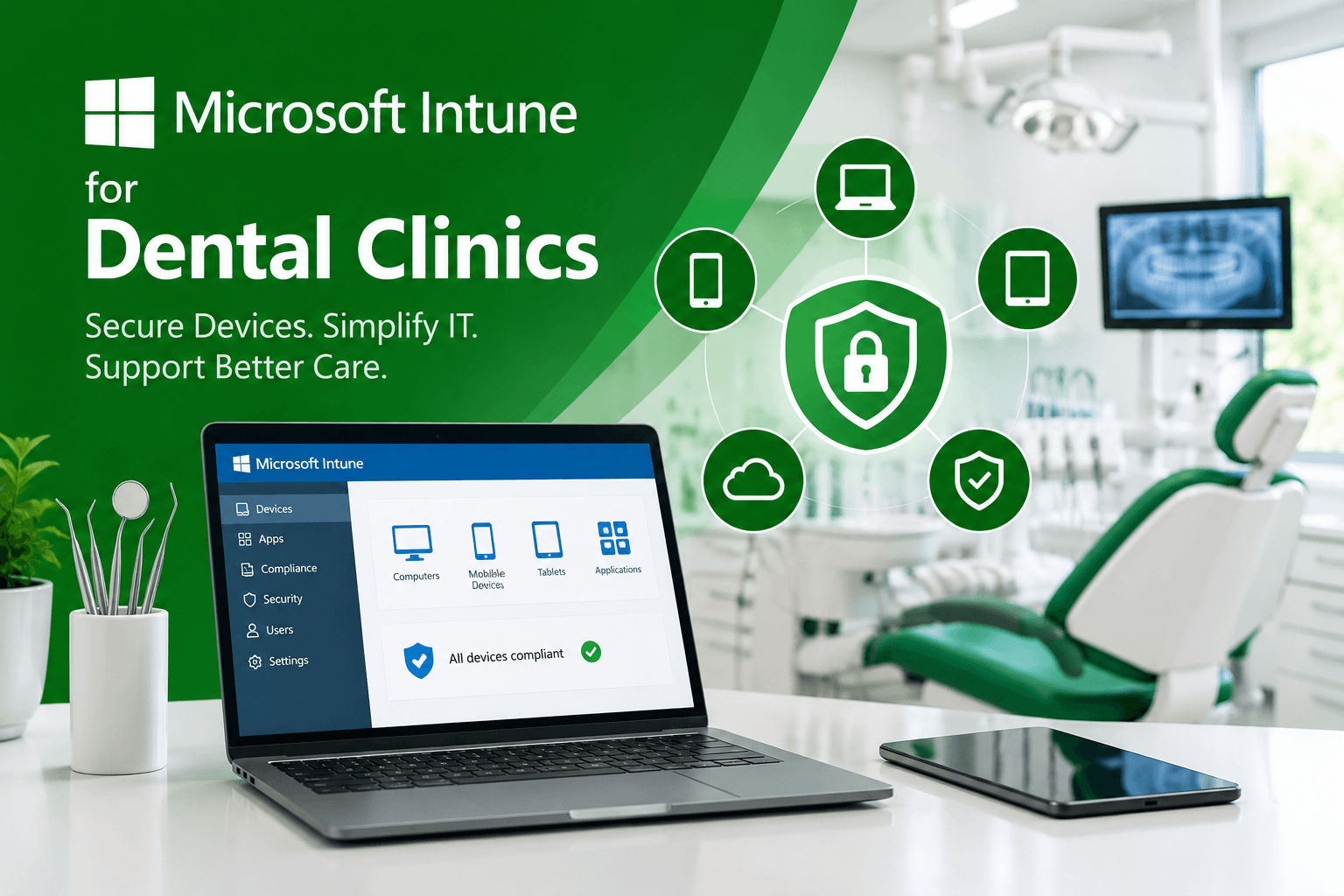
That is where Microsoft Intune for Dental Clinics can make a significant difference. Microsoft Intune provides centralized device management and security capabilities, allowing dental practices to manage computers, tablets, mobile devices, and applications from one platform. As a result, clinics can improve security, simplify IT management, and support a more reliable technology environment.
For dental practices in Calgary and Edmonton, MVP IT provides professional IT solutions designed around the specific technology and security needs of healthcare organizations.
What Is Microsoft Intune for Dental Clinics?
Microsoft Intune is a cloud-based endpoint management solution from Microsoft. It enables organizations to manage devices, applications, users, and security policies remotely.
For dental clinics, this means administrators can establish consistent security settings across computers and mobile devices without manually configuring every endpoint. Furthermore, Intune can help IT teams monitor device compliance and respond to security issues more efficiently.
Because dental offices handle sensitive patient information, maintaining strong endpoint security is especially important. Therefore, a centralized management solution can help clinics establish more consistent technology controls.
Why Dental Clinics Need Centralized Device Management
Dental practices often use a combination of front-desk computers, clinical workstations, laptops, tablets, and mobile devices. Consequently, managing every device individually can consume valuable time and create security gaps.
With Microsoft Intune, clinics can centralize many essential management tasks. For example, administrators can:
- Enforce device security policies
- Manage business applications
- Configure device settings remotely
- Control access to organizational resources
- Monitor device compliance
- Support remote device management
- Help protect company data on supported devices
Moreover, centralized management makes it easier to maintain consistent policies throughout the practice. Instead of relying on individual employees to configure their devices correctly, IT teams can establish standardized requirements.
Strengthening Dental IT Security
Cybersecurity is an important consideration for every modern dental practice. Patient information, billing data, employee records, and other business information need appropriate protection.
Microsoft Intune can contribute to a broader dental cybersecurity strategy by helping organizations manage endpoint security requirements. For instance, IT administrators can establish policies that require specific security configurations before a device can access organizational resources.
Additionally, Intune works within the broader Microsoft security ecosystem. When properly configured, this can help organizations create a more coordinated approach to identity, device, application, and data protection.
However, technology alone is not enough. Effective security also requires appropriate policies, employee awareness, monitoring, backups, and ongoing IT support. That is why working with an experienced provider such as MVP IT can be valuable for dental practices.
Simplifying IT Management With Microsoft Intune
Dental professionals should be focused on patients rather than troubleshooting technology. Fortunately, cloud-based device management can reduce the amount of manual IT work required.
For example, when a new workstation or mobile device is introduced, IT teams can apply predefined configurations and policies. Similarly, when an employee leaves the practice, access and device management procedures can be handled more systematically.
As a result, dental clinics can create a more predictable IT environment while reducing unnecessary administrative tasks.
Supporting Remote and Mobile Devices
Many dental practices use laptops and mobile devices for administrative or operational purposes. These devices can create additional security considerations, particularly when they leave the clinic.
Microsoft Intune can help organizations manage supported mobile and remote endpoints according to established policies. In addition, organizations can apply controls designed to help protect business information when devices are lost, replaced, or no longer used by an employee.
Microsoft Intune and Compliance
Dental clinics have responsibilities when handling sensitive patient information. Therefore, technology management should form part of a broader privacy and compliance strategy.
While Microsoft Intune itself does not guarantee regulatory compliance, it can provide management and security capabilities that support an organization’s overall compliance program. Proper configuration, documentation, access controls, employee procedures, and regular security reviews remain essential.
MVP IT can help dental practices evaluate their IT environment and implement practical technology solutions that support security and operational requirements.
Why Choose MVP IT for Dental IT Services?
Choosing and configuring Microsoft Intune requires more than simply activating a Microsoft service. Policies need to match the clinic’s devices, applications, users, workflows, and security objectives.
MVP IT helps dental practices manage their technology with practical, business-focused IT services. With locations in Calgary and Edmonton, MVP IT supports organizations looking to strengthen their IT infrastructure, improve device management, and build a more secure technology environment.
Whether your practice is adopting cloud-based management for the first time or looking to improve an existing IT setup, professional guidance can make the transition easier.
Frequently Asked Questions
1. What is Microsoft Intune used for in a dental clinic?
Microsoft Intune can help dental clinics manage computers, tablets, mobile devices, applications, and security policies from a centralized platform.
2. Can Microsoft Intune help protect patient information?
Intune provides device and application management capabilities that can support an organization’s broader security strategy. However, proper configuration and additional security controls are also necessary.
3. Can Intune manage mobile devices used by dental staff?
Yes. Microsoft Intune supports management of compatible mobile devices, allowing organizations to establish policies and manage access according to their requirements.
4. Is Microsoft Intune suitable for small dental practices?
Yes. Cloud-based management can be useful for practices of different sizes, particularly when they want centralized control over devices and applications without extensive on-site infrastructure.
5. Can MVP IT help set up Microsoft Intune?
Yes. MVP IT can help dental practices evaluate their IT requirements and implement appropriate device management and security solutions.
Improve Your Dental Practice IT With MVP IT
A secure and well-managed technology environment is essential for today’s dental practices. With Microsoft Intune for Dental Clinics, organizations can take a more centralized approach to managing devices, applications, and security policies.
Most importantly, professional implementation helps ensure that technology solutions are aligned with the clinic’s operational needs.
If your dental practice in Calgary, Edmonton, or surrounding areas needs dependable IT support, contact MVP IT at (587) 585-6871. With offices at 3850 19 St NE, Bay 5, Calgary, AB T2E 6V2 and 14065 Victoria Trail NW #211, Edmonton, AB T5Y 2B6, MVP IT can help your practice build a secure, reliable, and efficiently managed IT environment.