


Modern dental practices rely heavily on digital technology to manage patient records, appointment scheduling, imaging systems, billing, and day-to-day operations. While technology improves efficiency and patient care, it also introduces significant risks if critical data becomes unavailable. Whether caused by cyberattacks, hardware failures, natural disasters, or accidental deletion, data loss can bring an entire practice to a standstill.
A reliable Dental Backup and Disaster Recovery Plan ensures that your practice can quickly recover from unexpected disruptions without compromising patient care or regulatory compliance. At MVP IT, we help dental clinics implement secure backup and disaster recovery solutions that minimize downtime, protect sensitive information, and keep operations running smoothly.
What Is a Dental Backup and Disaster Recovery Plan?
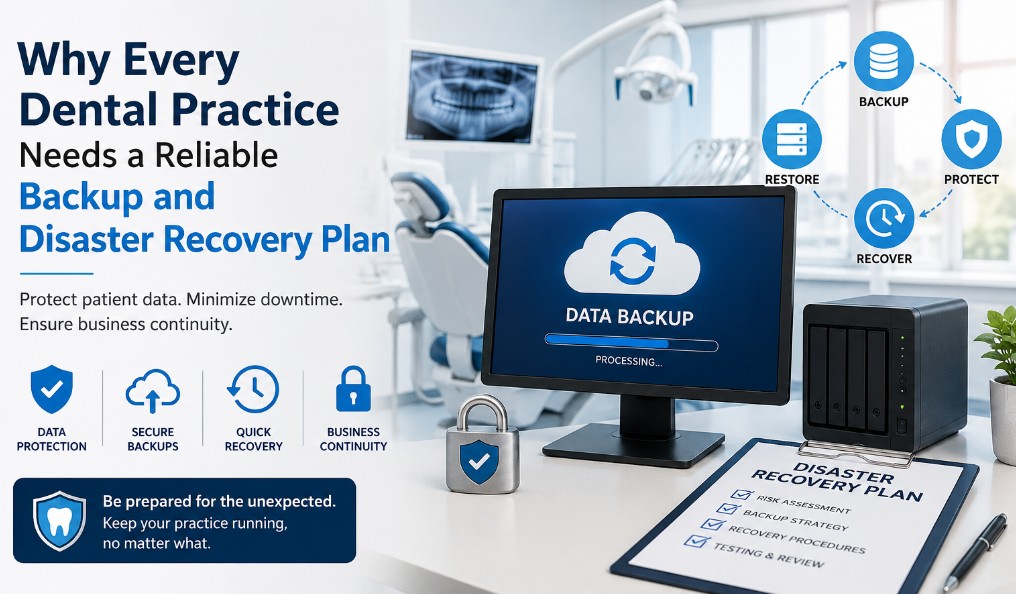
A Dental Backup and Disaster Recovery Plan is a comprehensive strategy that protects your practice’s digital assets and ensures business continuity after an unexpected event.
The plan typically includes:
- Automatic backups of patient records and business data
- Secure off-site or cloud storage
- Fast data recovery procedures
- Disaster recovery testing
- Cybersecurity integration
- Business continuity planning
Rather than simply storing copies of your files, an effective disaster recovery strategy allows your practice to restore systems quickly with minimal disruption.
Why Dental Practices Are Prime Targets for Data Loss
Dental offices manage large amounts of confidential patient information, making them attractive targets for cybercriminals. However, ransomware is only one of many threats.
Common causes of data loss include:
Hardware Failure
Servers, hard drives, and workstations can fail unexpectedly, potentially causing permanent data loss without reliable backups.
Ransomware Attacks
Cybercriminals increasingly target healthcare providers by encrypting critical files and demanding payment for their release.
Human Error
Employees may accidentally delete important records, overwrite files, or misconfigure systems.
Natural Disasters
Floods, fires, severe weather, or power outages can damage on-site infrastructure and make local backups inaccessible.
Software Corruption
System updates or software failures may corrupt databases and disrupt access to patient information.
Without a proper recovery strategy, even a minor incident can result in hours—or days—of downtime.
The Cost of Downtime for Dental Practices
Every minute your systems remain offline affects productivity, patient satisfaction, and revenue.
Consequences may include:
- Missed appointments
- Delayed treatments
- Lost patient trust
- Billing interruptions
- Compliance risks
- Expensive emergency IT repairs
For busy dental clinics, extended downtime can become far more costly than investing in proactive backup and recovery solutions.
Key Components of an Effective Backup and Disaster Recovery Plan
Not all backup solutions provide the same level of protection. A comprehensive plan should include several essential components.
Automated Daily Backups
Manual backups are unreliable because they depend on human consistency. Automated backups ensure your latest patient records are protected without staff intervention.
Cloud and Off-Site Storage
Keeping backups in only one location creates unnecessary risk. Cloud-based and off-site storage protects your data even if your physical office experiences damage.
Fast Recovery Capabilities
Recovery speed is just as important as creating backups. A reliable solution minimizes downtime by restoring files, applications, and systems quickly.
Backup Verification
Backups should be regularly tested to confirm they can actually be restored. An untested backup may fail when it’s needed most.
Cybersecurity Integration
Backup systems should work alongside endpoint protection, email security, network monitoring, and ransomware defense to provide complete protection.
At MVP IT, we design customized recovery strategies that combine secure backups with proactive cybersecurity to safeguard dental practices.
Compliance and Patient Data Protection
Dental practices are responsible for protecting sensitive patient information and maintaining secure records. A dependable backup and disaster recovery strategy supports compliance by ensuring patient data remains protected, recoverable, and accessible when needed.
Strong backup procedures also demonstrate your commitment to maintaining operational resilience and protecting confidential information against unexpected events.
Benefits of Partnering with MVP IT
Technology management requires specialized expertise, especially in healthcare environments where reliability is essential.
When partnering with MVP IT, dental practices benefit from:
Proactive Monitoring
Our team continuously monitors backup systems to ensure they function properly and alerts are addressed before problems occur.
Customized Solutions
Every dental practice has different technology requirements. We tailor backup and disaster recovery strategies based on your systems and operational needs.
Rapid IT Support
If an incident occurs, our experienced technicians work quickly to restore operations and minimize disruption.
Business Continuity Planning
Beyond backups, we help practices prepare for unexpected events with comprehensive disaster recovery planning that supports uninterrupted patient care.
Best Practices for Dental Practices
To maximize protection, every dental office should:
- Schedule automatic daily backups
- Store backup copies in multiple locations
- Test recovery procedures regularly
- Train staff on cybersecurity awareness
- Update software and security systems
- Partner with experienced dental IT professionals
These proactive measures significantly reduce the risk of prolonged downtime and costly data loss.
Frequently Asked Questions
How often should a dental practice back up its data?
Most dental practices should perform automated backups daily, with critical systems backed up even more frequently depending on operational needs.
What is the difference between backup and disaster recovery?
Backup refers to creating copies of data, while disaster recovery focuses on restoring systems, applications, and business operations after an incident.
Can cloud backups protect against ransomware?
Yes. Secure cloud backups with version history and ransomware protection can help restore encrypted files without paying a ransom.
How long does it take to recover after a disaster?
Recovery times vary based on system size and infrastructure, but a properly designed disaster recovery plan significantly reduces downtime.
Why should dental practices work with a managed IT provider?
A managed IT provider like MVP IT offers ongoing monitoring, expert support, proactive maintenance, and customized disaster recovery solutions that help prevent costly disruptions.
Protect Your Dental Practice Before Disaster Strikes
Unexpected technology failures can happen at any time, but they don’t have to disrupt your business. A well-designed Dental Backup and Disaster Recovery Plan protects your patient data, minimizes downtime, and keeps your practice operating with confidence.
At MVP IT, we specialize in reliable dental IT services that include secure backups, disaster recovery planning, cybersecurity, and proactive technology support. Whether your practice is located in Calgary or Edmonton, our experienced team is ready to help you build a resilient IT environment that supports long-term success.
Contact MVP IT today at (587) 585-6871 to learn how our customized dental IT solutions can protect your practice from unexpected data loss and keep your business running without interruption.