

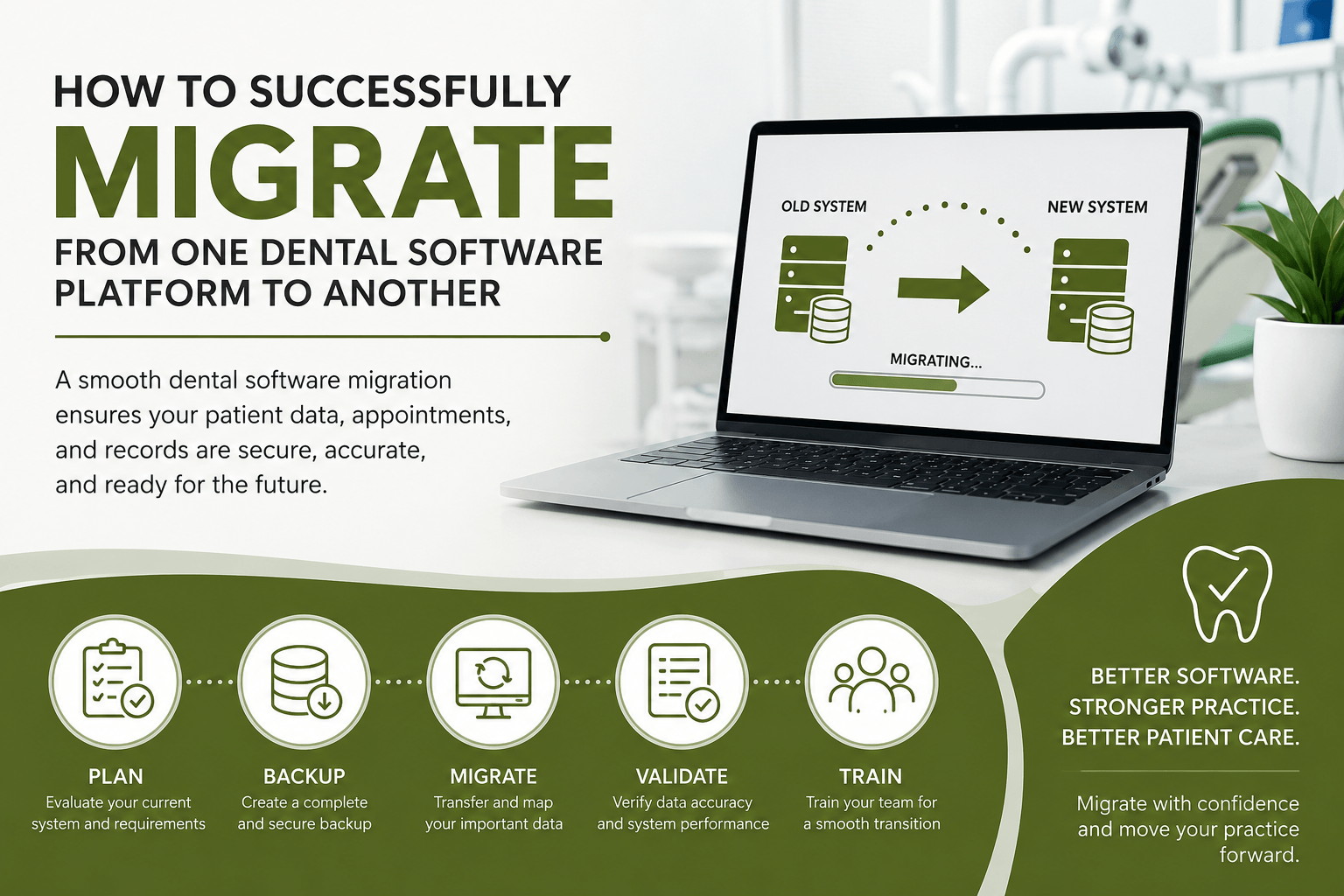

Switching to a new dental software platform is a major decision for any dental practice. Whether you’re looking for better performance, improved patient management, enhanced security, or modern features, a successful dental software migration requires careful planning and technical expertise. A poorly managed migration can lead to data loss, workflow disruptions, and costly downtime.
At MVP IT, we help dental practices transition from one software platform to another with minimal disruption. Our experienced IT professionals ensure that your patient records, appointments, financial data, and clinical information are transferred securely and accurately so your team can continue providing excellent patient care.
Why Dental Practices Change Software Platforms
Dental technology continues to evolve, and many clinics eventually outgrow their existing systems. Upgrading to a modern platform can improve efficiency, enhance patient communication, and streamline daily operations.
Common reasons for migrating include:
- Outdated software with limited functionality
- Improved reporting and analytics
- Better integration with imaging systems
- Enhanced cybersecurity features
- Faster performance and cloud capabilities
- Improved patient scheduling and communication
Regardless of the reason, a structured migration process helps avoid unnecessary risks.
What Data Can Be Migrated?
One of the biggest concerns during a dental software migration is protecting valuable patient information. A professional migration should preserve all essential practice data.
Typical data includes:
- Patient demographics
- Appointment schedules
- Clinical notes
- Treatment plans
- Billing and financial records
- Insurance information
- Digital documents
- X-rays and dental images (where supported)
The exact data transferred depends on both the source and destination software platforms.
Common Dental Software Platforms
Many dental practices use different practice management and imaging solutions. Migration is commonly performed between platforms such as:
- Dentrix
- ClearDent
- Maxident
- Power Practice
- Guru
- Gold
- Adstra
- DEXIS (Dental Imaging)
- Dolphin Imaging
Every software platform stores data differently, making proper data mapping and validation an essential part of the migration process.
Steps for a Successful Dental Software Migration
1. Evaluate Your Current System
Before migrating, identify the data that needs to be transferred. Review patient records, financial information, digital images, and inactive files that may no longer be necessary.
This planning stage helps reduce unnecessary data and speeds up the migration process.
2. Create a Complete Backup
Always perform a full backup before making any changes.
A verified backup ensures your practice can recover critical information if unexpected issues occur during migration.
3. Plan the Data Migration
Not every field transfers directly between software systems. Professional technicians carefully map data fields to ensure information appears correctly in the new platform.
This process includes verifying:
- Patient information
- Clinical histories
- Insurance details
- Treatment records
- Financial balances
4. Test Before Going Live
Testing is one of the most important steps.
A sample migration allows technicians to verify data accuracy before transferring the complete database. This minimizes unexpected problems and gives staff confidence in the new system.
5. Train Your Team
Even the best software requires user training.
Provide staff with training on scheduling, charting, billing, reporting, and patient management before officially switching to the new platform.
6. Validate the Final Migration
Once the migration is complete, carefully review:
- Patient charts
- Appointment calendars
- Financial reports
- Insurance claims
- Digital images
- Clinical notes
Final validation ensures all critical information has been transferred correctly.
Common Migration Challenges
Without proper planning, practices may experience challenges such as:
- Missing patient records
- Duplicate data
- Broken image links
- Incorrect appointment schedules
- Software compatibility issues
- Unexpected downtime
Working with experienced dental IT professionals significantly reduces these risks.
Best Practices for a Smooth Transition
To ensure a successful dental software migration, consider these best practices:
- Schedule migration outside office hours whenever possible.
- Inform your staff well in advance.
- Keep multiple verified backups.
- Test the new system before full deployment.
- Validate all critical patient data.
- Retain access to the old system until everything has been confirmed.
Following these practices helps minimize disruption while maintaining continuity of patient care.
Why Choose MVP IT for Dental Software Migration?
Dental software migration involves much more than copying files from one system to another. It requires experience with dental applications, secure data handling, and careful planning.
MVP IT provides reliable dental IT services designed to keep your practice running smoothly throughout the migration process. From initial planning and secure data transfer to post-migration testing and ongoing technical support, our team helps ensure every step is completed efficiently.
Whether your practice is upgrading to a modern solution, replacing outdated software, or consolidating systems, MVP IT delivers dependable IT expertise tailored to the dental industry.
Frequently Asked Questions
How long does a dental software migration take?
The timeline depends on the size of your database, the software platforms involved, and the amount of data being transferred. Many migrations can be completed within a planned maintenance window, while larger practices may require additional time.
Will patient records be safe during migration?
Yes. When performed by experienced professionals, patient data is backed up, securely transferred, tested, and validated throughout the migration process.
Can dental images and X-rays be migrated?
In many cases, yes. Compatibility depends on the imaging software and the destination platform. Professional planning helps ensure supported images are transferred correctly.
Will my practice experience downtime?
Some downtime may be necessary, but careful scheduling and planning can significantly reduce disruption to daily operations.
Why should I use professional IT services for migration?
Professional IT specialists understand dental software, data mapping, security requirements, and system compatibility, helping reduce the risk of errors, downtime, and data loss.
Partner with MVP IT for a Seamless Dental Software Migration
Migrating to a new dental software platform doesn’t have to be stressful. With the right planning and expert support, your practice can transition smoothly while protecting valuable patient information and maintaining business continuity.
If you’re planning a dental software migration, trust MVP IT to manage the process from start to finish. Our experienced team is committed to secure, reliable, and efficient dental IT solutions that keep your practice operating with confidence.
Contact MVP IT today to discuss your dental software migration needs.
Calgary Office
3850 19 St NE Bay 5, Calgary, AB T2E 6V2
Edmonton Office
14065 Victoria Trail NW #211, Edmonton, AB T5Y 2B6
Phone: (587) 585-6871