


Dental practices rely on Dentrix to manage patient records, appointments, billing, treatment plans, and daily operations. However, when the software becomes slow or unreliable, productivity suffers, staff frustration increases, and patient experiences can be negatively affected. Fortunately, most Dentrix performance issues can be identified and resolved with the right IT support and proactive maintenance.
At MVP IT, we specialize in helping dental practices maintain reliable, secure, and high-performing IT environments. Whether your clinic is experiencing slow loading times, database errors, or network connectivity problems, our experienced team provides tailored solutions that minimize downtime and keep your practice running efficiently.
Why Dentrix Performance Matters
Dentrix is at the heart of many dental practices. Therefore, even minor performance problems can affect scheduling, patient communication, billing accuracy, and overall workflow. As your practice grows, your IT infrastructure must also evolve to support increasing data and user demands.
By addressing Dentrix performance issues early, dental offices can improve productivity, reduce disruptions, and provide better patient care. Moreover, proactive maintenance helps prevent larger problems that may require costly repairs or extended downtime.
Common Dentrix Performance Issues
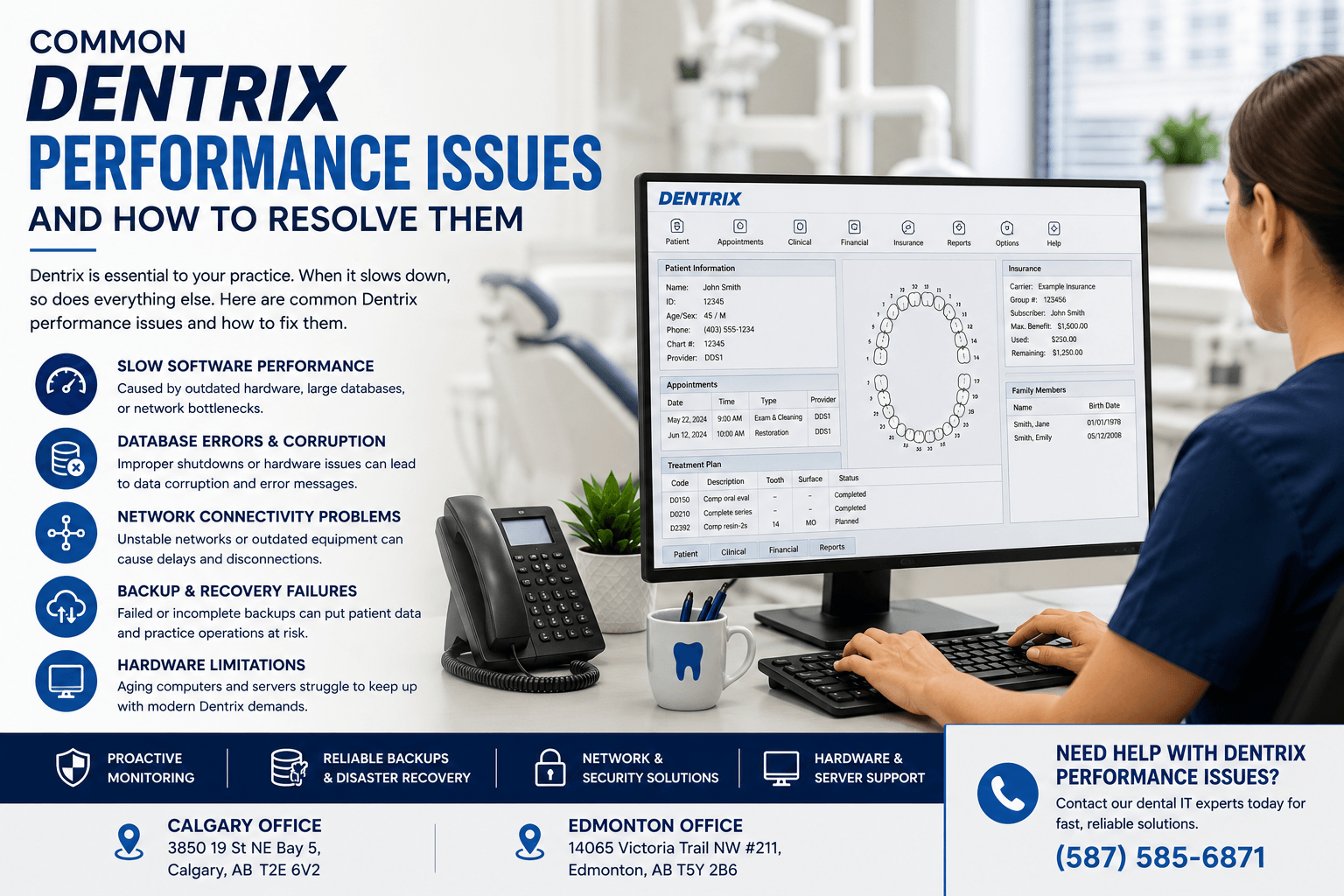
Slow Software Performance
One of the most common complaints among dental offices is slow system performance. Dentrix may take several seconds—or even minutes—to open patient charts, generate reports, or switch between screens.
Common causes include:
- Aging hardware
- Insufficient RAM
- Large databases
- Network bottlenecks
- Background applications consuming system resources
Fortunately, upgrading workstations, optimizing the database, and improving network performance often resolve these issues.
Database Errors and Corruption
The Dentrix database stores critical patient information. However, improper shutdowns, hardware failures, or storage problems can lead to database corruption.
Signs include:
- Missing patient records
- Error messages
- Failed backups
- Unexpected software crashes
Regular database maintenance and professional monitoring significantly reduce the risk of data corruption. Additionally, reliable backup solutions ensure your practice can recover quickly if problems occur.
Network Connectivity Problems
Dentrix depends on a stable local network. Consequently, unreliable switches, outdated cabling, or wireless interference may result in slow performance and connection interruptions.
Common symptoms include:
- Delayed patient record loading
- Random disconnections
- Shared resources becoming unavailable
- Printer communication failures
A properly designed business network greatly improves software responsiveness while reducing disruptions.
Backup and Recovery Failures
Many practices assume their backups are working until they actually need them. Unfortunately, failed or incomplete backups are more common than many realize.
Without reliable backups, practices risk losing:
- Patient records
- Financial information
- Appointment schedules
- Clinical documentation
For this reason, MVP IT recommends automated backup verification and regular disaster recovery testing to ensure data can be restored whenever necessary.
Hardware Limitations
As Dentrix receives updates and practices store more data, older computers and servers may struggle to keep up.
Common hardware issues include:
- Slow hard drives
- Limited memory
- Outdated processors
- Aging servers
Upgrading to modern hardware often provides immediate improvements in speed, reliability, and user experience.
How to Resolve Dentrix Performance Issues
Optimize Your Server Environment
Your Dentrix server plays a critical role in overall system performance. Therefore, keeping the operating system updated, monitoring storage capacity, and replacing aging hardware helps maintain consistent speed.
Virtualization and modern server infrastructure also improve reliability while allowing easier scalability as your practice grows.
Improve Network Performance
A fast and secure network directly impacts Dentrix performance. Therefore, practices should regularly inspect switches, firewalls, and network cabling.
Additionally, separating guest Wi-Fi from business operations reduces unnecessary traffic and improves application responsiveness.
Schedule Regular Database Maintenance
Routine database maintenance helps remove unnecessary data, repair indexes, and improve search efficiency.
Furthermore, scheduling maintenance during off-hours minimizes disruptions while ensuring the software continues operating efficiently.
Keep Software Updated
Software updates often include important performance improvements, security patches, and compatibility fixes.
However, updates should always be tested and installed correctly to avoid unexpected disruptions. Working with experienced IT professionals ensures updates are completed safely.
Monitor System Health Proactively
Rather than waiting for problems to occur, proactive monitoring identifies warning signs before they affect daily operations.
For example, monitoring tools can detect:
- Server performance issues
- Disk space shortages
- Backup failures
- Network interruptions
- Hardware degradation
As a result, problems can be addressed before they impact patient care.
Why Choose MVP IT for Dental IT Support?
Dental practices require IT providers who understand both technology and clinical workflows. That is why MVP IT delivers specialized IT services designed specifically for dental offices.
Our services include:
- Dentrix performance optimization
- Managed IT services
- Network infrastructure support
- Server management
- Cybersecurity protection
- Data backup and disaster recovery
- Proactive system monitoring
- Hardware upgrades and replacement planning
With offices conveniently located in Calgary and Edmonton, MVP IT supports dental practices across Alberta with responsive, dependable IT solutions. Whether your clinic is experiencing recurring Dentrix performance issues or planning future growth, our team delivers solutions that improve efficiency while reducing downtime.
Frequently Asked Questions
What causes Dentrix to run slowly?
Slow performance is typically caused by outdated hardware, insufficient memory, network congestion, database inefficiencies, or server performance issues. Identifying the root cause is essential for an effective solution.
How often should Dentrix databases be maintained?
Database maintenance should generally be performed regularly according to your practice’s usage. Routine maintenance helps improve speed, prevent errors, and maintain data integrity.
Can network problems affect Dentrix performance?
Yes. Since Dentrix relies on network communication, slow or unstable networks can significantly impact loading times, user experience, and overall productivity.
Why are reliable backups important for Dentrix?
Reliable backups protect patient records and business-critical information. In the event of hardware failure, cyberattacks, or accidental data loss, verified backups allow your practice to recover quickly.
When should I contact an IT specialist for Dentrix issues?
If you experience recurring slowdowns, database errors, connectivity problems, or failed backups, it is best to consult experienced dental IT professionals before the issues become more serious.
Conclusion
Reliable practice management software is essential for delivering outstanding patient care. Although occasional Dentrix performance issues are common, they should never become a long-term obstacle to your practice’s success. By maintaining your servers, optimizing your network, performing routine database maintenance, and monitoring systems proactively, your clinic can enjoy faster performance, improved reliability, and fewer interruptions.
If your dental practice is experiencing Dentrix performance issues, MVP IT is here to help. Our experienced dental IT specialists provide proactive support, reliable infrastructure management, and customized technology solutions that keep your practice running smoothly.
Contact MVP IT today to learn how our expert dental IT services can optimize your Dentrix environment and help your practice operate with greater speed, security, and confidence.
MVP IT
Calgary Office: 3850 19 St NE Bay 5, Calgary, AB T2E 6V2
Edmonton Office: 14065 Victoria Trail NW #211, Edmonton, AB T5Y 2B6
Phone: (587) 585-6871