

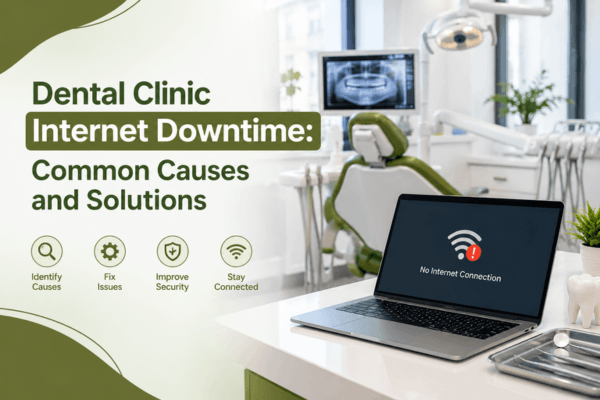

Reliable internet connectivity is essential for modern dental clinics. From digital patient records and appointment scheduling to cloud-based dental software, online payments, imaging systems, and communication with patients, almost every part of daily operations depends on a stable network. Therefore, even a short internet outage can quickly disrupt productivity, delay patient care, and create unnecessary stress for dental teams.
Fortunately, most connectivity problems can be prevented or resolved with the right technology strategy. In this guide, we explore the common causes of dental clinic internet downtime, practical solutions, and how professional dental IT support from MVP IT can help keep your practice connected.
Why Internet Reliability Matters for Dental Clinics
Today, dental practices rely on several internet-connected systems at the same time. For example, staff may need access to cloud-based practice management software while dentists use digital imaging systems and patients complete online forms.
As a result, an unreliable connection can affect the entire clinic rather than just one workstation. Furthermore, repeated downtime can lead to appointment delays, frustrated employees, interrupted communications, and potential revenue loss.
For that reason, dependable IT infrastructure should be treated as an important part of dental practice management.
Common Causes of Dental Clinic Internet Downtime
1. Internet Service Provider Problems
Sometimes, the problem is outside the dental clinic. ISP outages, maintenance, damaged infrastructure, or regional service interruptions can temporarily disconnect your practice.
However, clinics can reduce the impact by having a backup internet connection. MVP IT can help dental practices evaluate connectivity options and develop a reliable backup strategy.
2. Outdated Network Equipment
Routers, switches, access points, and other networking equipment can become outdated over time. Consequently, older hardware may struggle to support modern applications, multiple devices, and increasing bandwidth requirements.
Regular equipment assessments can identify aging hardware before it causes serious disruptions. In addition, upgrading to business-grade networking equipment can improve both speed and reliability.
3. Poor Wi-Fi Coverage
Weak Wi-Fi signals are another common source of connectivity issues. Thick walls, equipment interference, poor access-point placement, and large clinic layouts can all create dead zones.
Instead of simply adding more wireless devices, a professional IT assessment can identify where coverage is actually needed. As a result, properly positioned access points can provide stronger and more consistent connectivity throughout the clinic.
4. Network Overload
Dental clinics often have many connected devices, including computers, tablets, printers, imaging equipment, phones, security systems, and guest devices. If the network is not designed to handle this traffic, performance can deteriorate.
Moreover, bandwidth-intensive activities such as cloud backups, software updates, or video calls may compete with critical dental applications. Network optimization and proper traffic management can therefore help maintain reliable performance.
5. Cybersecurity Incidents
Cyberattacks can also affect internet and network availability. Malware, ransomware, compromised devices, and unauthorized network activity may interrupt access to essential systems.
For this reason, dental clinics need layered cybersecurity protection. Firewalls, endpoint security, secure Wi-Fi, regular updates, employee awareness, and monitoring can collectively reduce risk.
How to Prevent Dental Clinic Internet Downtime
Prevention is generally more effective than waiting for an outage to occur. First, dental practices should regularly inspect their routers, switches, wireless access points, and other network infrastructure.
Next, clinics should maintain reliable backups and establish a recovery plan for critical systems. Additionally, a secondary internet connection can provide temporary connectivity if the primary ISP experiences an outage.
It is equally important to monitor network performance. Proactive monitoring can identify unusual activity, failing equipment, or connectivity issues before they become major problems.
Finally, working with an experienced dental IT provider can make these processes easier. MVP IT understands that dental practices need technology that is dependable, secure, and available when patients need care.
What to Do When Your Dental Clinic Loses Internet Access
When an outage occurs, start by determining whether the issue affects one device or the entire clinic. If only one workstation is offline, the problem may involve that device, cable, or network connection.
On the other hand, if multiple systems are affected, check the network equipment and internet service. Avoid repeatedly restarting critical equipment without understanding the cause, especially when servers or specialized dental systems are involved.
If the outage continues, contact your IT provider and internet service provider. Meanwhile, staff can follow the clinic’s downtime procedures to maintain essential operations and document appointments or patient information appropriately.
How MVP IT Supports Dental Clinics
MVP IT provides professional IT services designed to help businesses maintain secure and dependable technology environments. For dental clinics, this can include network management, cybersecurity, IT monitoring, troubleshooting, backup planning, and infrastructure support.
Most importantly, proactive support focuses on preventing problems rather than simply reacting after something breaks. Therefore, dental practices can spend less time dealing with technology disruptions and more time focusing on patients.
MVP IT serves businesses from its Calgary location at 3850 19 St NE, Bay 5, Calgary, AB T2E 6V2, as well as its Edmonton location at 14065 Victoria Trail NW #211, Edmonton, AB T5Y 2B6.
Frequently Asked Questions
How can I reduce internet downtime in my dental clinic?
Regular network maintenance, updated equipment, proactive monitoring, cybersecurity protection, and a backup internet connection can significantly reduce downtime.
Why does my dental clinic Wi-Fi keep disconnecting?
Frequent disconnections may result from weak coverage, outdated equipment, interference, network congestion, or configuration problems. A professional network assessment can help identify the underlying cause.
Should a dental clinic have backup internet?
Yes. A secondary connection can keep essential systems online when the primary internet service fails. This can be particularly valuable for clinics that depend heavily on cloud-based applications.
Can IT support help prevent dental clinic downtime?
Absolutely. Proactive IT support can monitor systems, maintain network infrastructure, identify potential failures, strengthen cybersecurity, and respond quickly when issues occur.
Why choose MVP IT for dental IT services?
MVP IT provides proactive technology support focused on reliability, security, and business continuity. Its team can help dental clinics maintain a stable IT environment and reduce technology-related interruptions.
Keep Your Dental Practice Connected With MVP IT
Internet downtime can quickly become a business and patient-care problem. However, with reliable infrastructure, proactive monitoring, strong cybersecurity, and a clear backup strategy, dental clinics can significantly reduce technology disruptions.
If your practice is experiencing recurring connectivity problems or you want to improve your IT reliability, contact MVP IT at (587) 585-6871. The MVP IT team can help assess your network, strengthen your technology infrastructure, and build a more reliable IT environment for your dental clinic.