


A fast, reliable network is essential for modern dental practices. From digital X-rays and cloud-based practice management systems to VoIP phones, online scheduling, and electronic patient records, almost every part of a dental office depends on a stable internet connection. Therefore, when your network becomes slow, even routine tasks can take longer and disrupt patient care.
Fortunately, testing your dental office network speed can help identify performance issues before they become serious. In this guide, we explain how to check your connection, what your results mean, and when you should contact a professional IT provider such as MVP IT.
Why Network Speed Matters in a Dental Office
Dental offices often use multiple internet-connected systems at the same time. For example, staff may access cloud applications while another workstation uploads diagnostic images and patients use the office Wi-Fi.
As a result, insufficient network performance can cause slow applications, interrupted video calls, delayed file transfers, and unreliable VoIP communications. Moreover, frequent connectivity problems can reduce staff productivity and create unnecessary frustration.
A properly managed network should provide consistent performance throughout the workday, not simply deliver high speeds during an occasional test.
How to Test Your Dental Office Network Speed
Testing your network is relatively simple. However, for the most accurate results, perform several tests rather than relying on a single measurement.
1. Use a Reliable Internet Speed Test
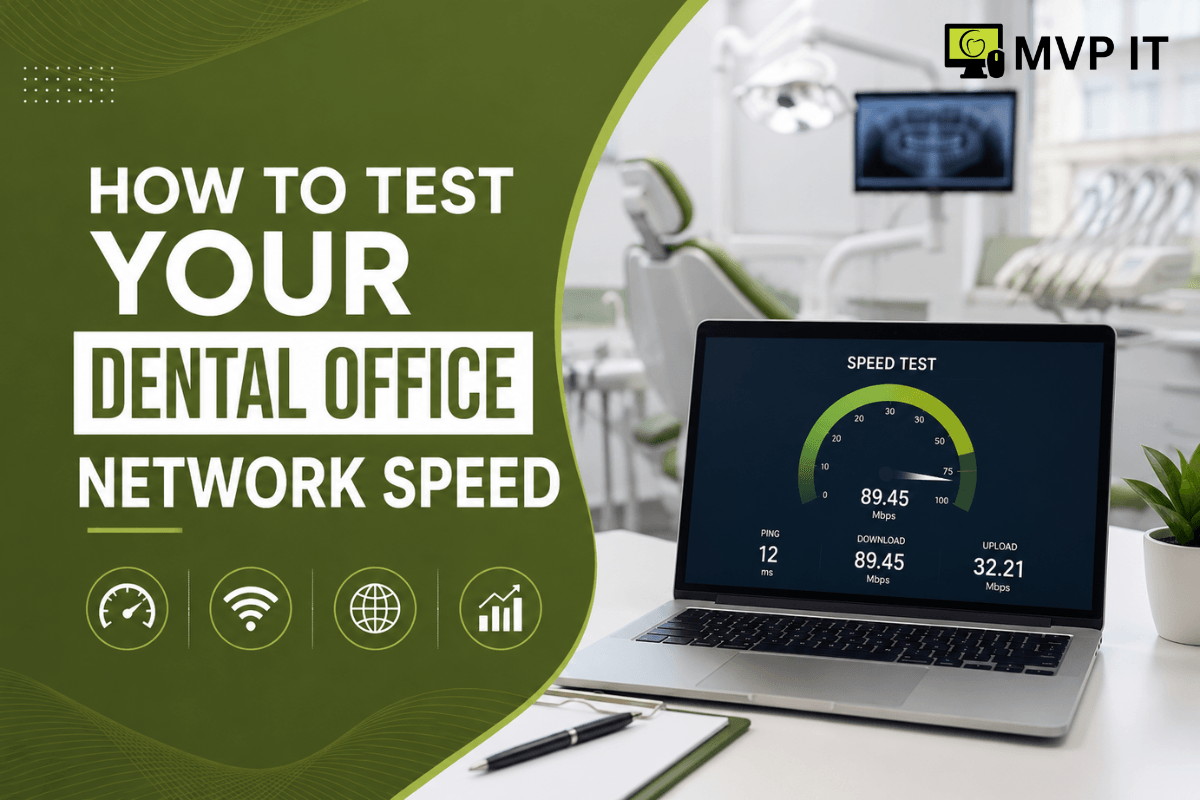
First, connect a computer directly to your network if possible. Then, use a reputable internet speed-testing service to measure your download speed, upload speed, and latency.
Download speed measures how quickly information reaches your office, while upload speed measures how quickly information leaves your network. Meanwhile, latency measures the delay between your device and the destination server.
Record the results so you can compare them with the internet speed included in your service plan.
2. Test at Different Times
Next, test your connection during different periods of the day. For example, perform one test before the office opens, another during peak business hours, and a third later in the afternoon.
If speeds drop significantly when your team is busy, your internet connection or internal network may be struggling with demand. Therefore, testing at different times provides a more realistic picture of your dental office network performance.
3. Check Wired and Wi-Fi Connections
Additionally, test both wired and wireless devices. A workstation connected through Ethernet may perform very differently from a computer using Wi-Fi.
If wired devices consistently provide better performance, the issue may involve wireless coverage, interference, access points, or network configuration. Conversely, if both wired and wireless devices are slow, the problem may be related to your internet service, router, firewall, or internal infrastructure.
What Results Should You Look For?
There is no single speed requirement for every dental practice because network needs vary based on the number of employees, applications, cloud services, and devices being used.
Nevertheless, consistency is often just as important as raw speed. A connection that occasionally reaches a high speed but frequently experiences latency or interruptions can still create major problems.
For example, if cloud applications respond slowly, VoIP calls become unreliable, or large dental imaging files take too long to transfer, your network may require further investigation.
Furthermore, unexpected packet loss, high latency, or frequent disconnections can indicate an underlying network problem that a basic speed test may not fully reveal.
When Should You Contact an IT Professional?
If your dental office network repeatedly performs below expectations, it is important not to assume that upgrading your internet package will solve everything. In fact, the problem could be caused by outdated networking equipment, poor Wi-Fi coverage, incorrect configurations, overloaded hardware, or other infrastructure issues.
That is where professional dental IT support can make a difference. MVP IT can help dental practices evaluate their network environment, identify performance bottlenecks, and implement reliable technology solutions designed around their operational needs.
In addition, professional monitoring can help identify recurring problems before they seriously affect your staff or patients.
FAQ About Dental Office Network Speed
How often should I test my dental office network speed?
It is useful to test your connection periodically and whenever employees notice recurring slowdowns, dropped calls, or application delays. Regular testing can also help establish a performance baseline.
Does faster internet always mean better network performance?
Not necessarily. A faster internet plan cannot fix problems caused by faulty equipment, weak Wi-Fi coverage, configuration issues, or excessive internal network traffic.
Should dental offices use wired or wireless connections?
Whenever possible, critical workstations and equipment should use reliable wired connections. Wi-Fi remains useful for mobile devices and appropriate office applications; however, it should be properly configured and secured.
What can cause a dental office network to slow down?
Common causes include insufficient bandwidth, outdated routers or switches, poor Wi-Fi coverage, network congestion, hardware problems, and configuration issues. Consequently, professional troubleshooting may be necessary to identify the exact cause.
Improve Your Dental Office Network With MVP IT
A reliable network is more than a convenience for a modern dental practice—it supports daily operations, communication, productivity, and patient service. By testing your dental office network speed regularly, you can identify performance problems and take action before they interfere with your practice.
If your dental office is experiencing slow internet, unreliable Wi-Fi, application delays, or recurring connectivity problems, MVP IT is ready to help. Contact MVP IT at (587) 585-6871 for reliable dental IT services and professional network support in Calgary and Edmonton.
MVP IT
3850 19 St NE, Bay 5, Calgary, AB T2E 6V2
14065 Victoria Trail NW #211, Edmonton, AB T5Y 2B6
Phone: (587) 585-6871